
Text Message Opt-In
Handvetted sends text messages only to people who check a separate, optional box. This page shows exactly what that box says and where it appears.
Who sends the messages
Handvetted (handvetted.com) sends all messages from its text messaging number, (844) 448-1402. There are two programs. Handvetted Match Updates are for homeowners who submit a request. Handvetted Partner Alerts are for businesses that apply to receive leads. Both carry request and account messages only, never marketing.
Homeowners: Handvetted Match Updates
Where: the last step ("Review") of the request form at handvetted.com/get-matched and on each service and city page. A homeowner enters a mobile number on the "Your details" step. On the Review step this box appears unchecked, and the request can be sent with it left unchecked.
Messages include confirmation that a request was received, contact checks, and follow-up about that request. Example: "Handvetted: we received your roofing request for ZIP 28202. Reply STOP to opt out, HELP for help."
Businesses: Handvetted Partner Alerts
Where: the business application at handvetted.com/apply. The box is unchecked and optional, and is separate from the required permission to review the application.
Messages include new lead and missed-call alerts, reminders, dispute updates, billing notices and account notifications. Example: "Handvetted: new roofing lead in 28202. Log in at dash.handvetted.com to view it. Reply STOP to opt out."
Screenshots of the live forms
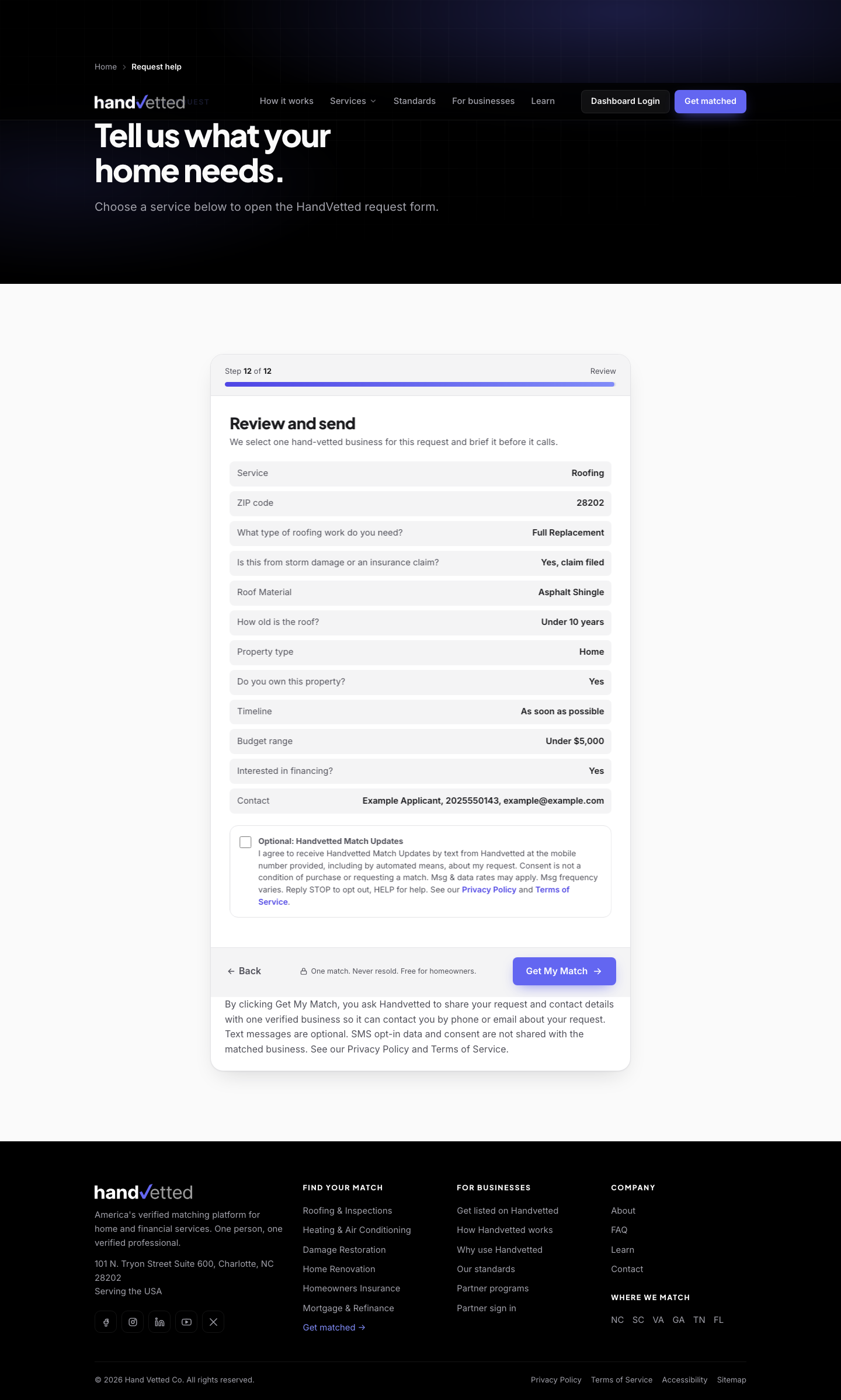
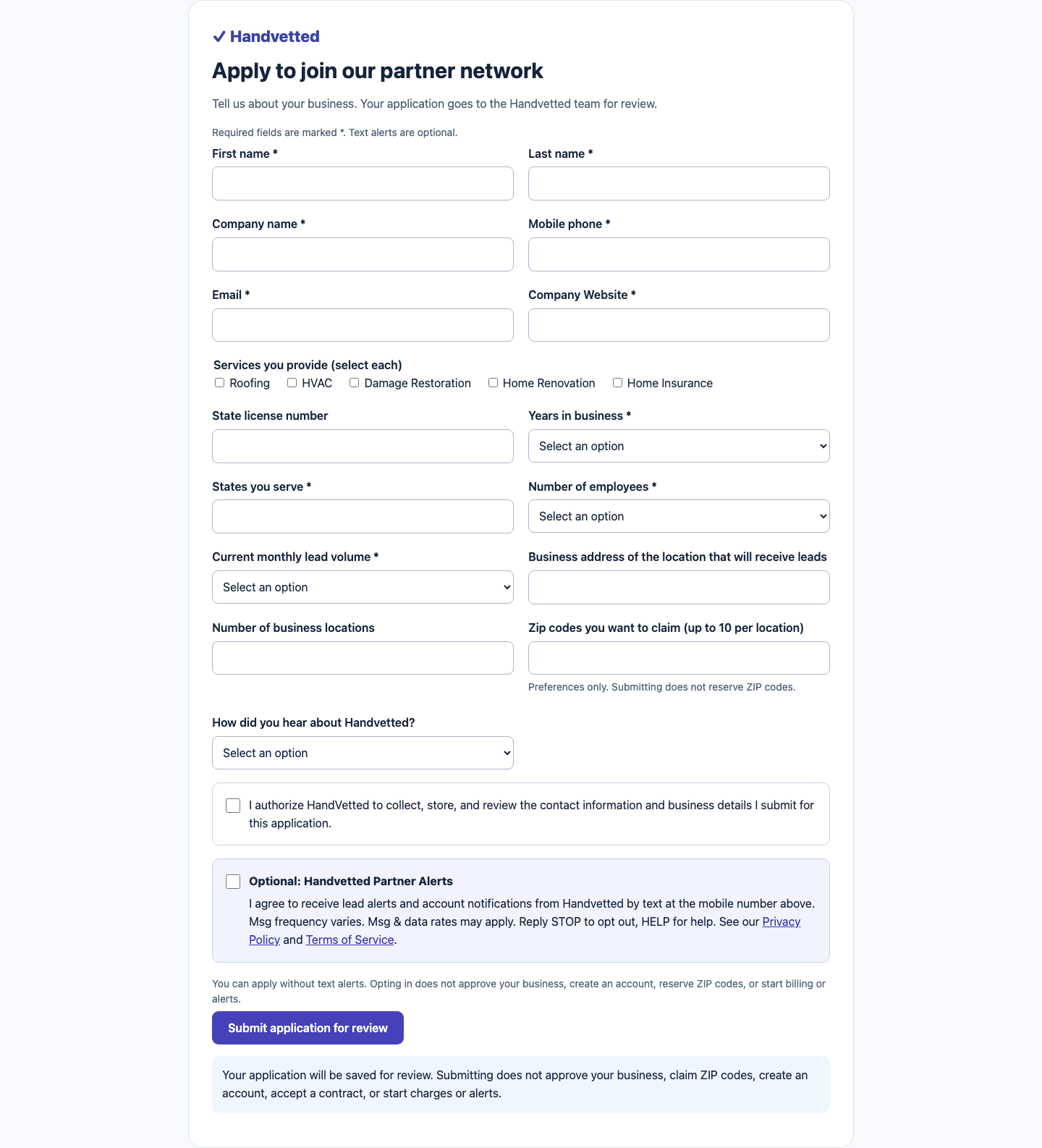
Screenshots use example details only. Mobile versions: homeowner form, business form.


Frequency, rates and how to stop
Message frequency varies with your requests, leads and account activity. Message and data rates may apply. Reply STOP to opt out at any time; you will receive one final confirmation. Reply START to resubscribe. Reply HELP for help, email support@handvetted.com, or call (844) 448-1402. Consent is not a condition of any purchase, request or application. Carriers are not liable for delayed or undelivered messages.
How consent is stored
Text consent is given to Handvetted only. It is recorded with the date and the wording version, and it is not shared with or sold to any business or third party. Full terms are in Section 9 of the Terms of Service, and data handling is in the Privacy Policy.
Last updated November 4, 2026.